 MONTRI
MTR / ISSUE 02
Clear your camera roll,
one swipe at a time.
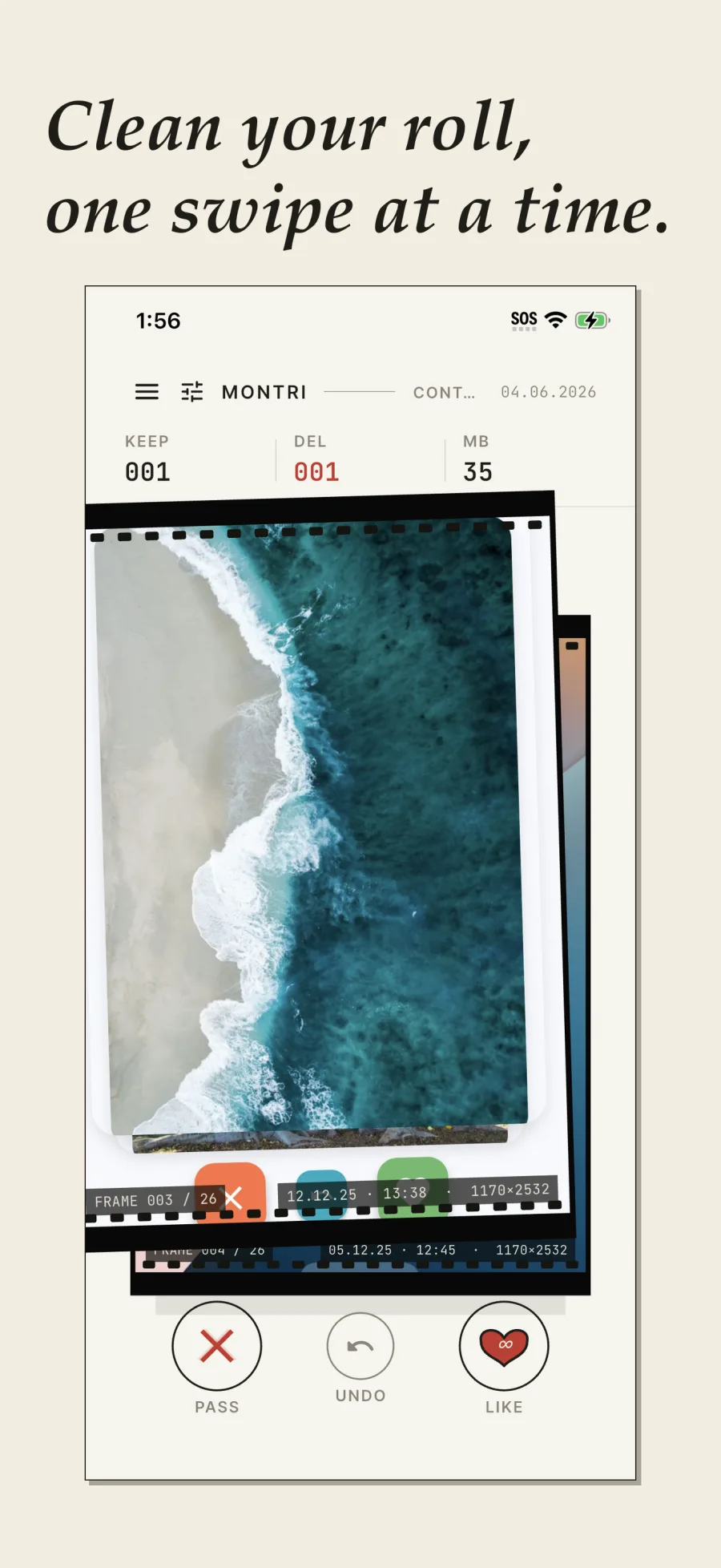
Delete the photos cluttering your gallery with one simple, satisfying gesture. Swipe left to discard, right to keep. MonTri also finds duplicates, blur and screenshots, without deciding for you.
iPhone & Android · French & English
ONE FRAME. ONE DECISION.
MONTRI IN BRIEF
A photo sorting app.
MonTri helps clean up a camera roll on iPhone and Android, one image at a time. Swiping speeds up decisions, filters surface duplicates, blur and screenshots, and a review protects every deletion. Photo content is analysed on device.
- PLATFORMS
- iPhone and Android
- PRICE
- Free + one-time Premium
- DECISION
- Always yours
- PHOTOS
- No file uploaded
THE GESTURE / 01
Left to discard.
Right to keep.
The edit moves at the pace of your decisions. Nothing is deleted on a swipe: rejects wait in the bin until you confirm.

← PASS · KEEP →
THE EDITING TABLE / 02
MonTri spots it.
You make the cut.
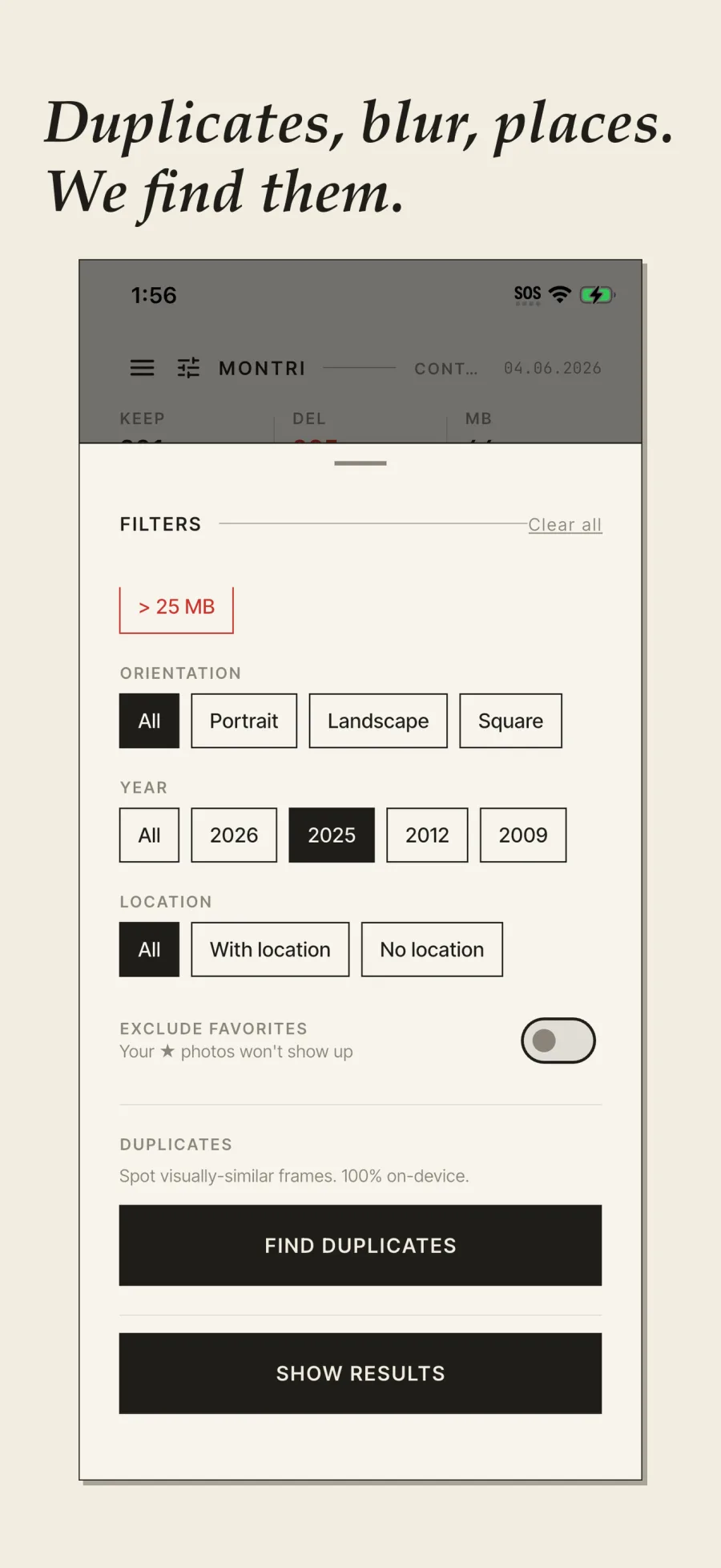
Narrow the pile before you begin. Each filter brings one precise kind of frame into the swipe deck.
- 01
Duplicates
Visually similar frames surface together. Analysis stays on the device.
- 02
Blur
Soft and misfocused images are isolated for a quick pass.
- 03
Screenshots
Receipts, memes and screen captures stop mixing with memories.
- 04
Places & years
A trip, a year or an orientation: choose the roll you want to open.
THE SUNDAY SHEET / 03
A short appointment.
A roll that can breathe.
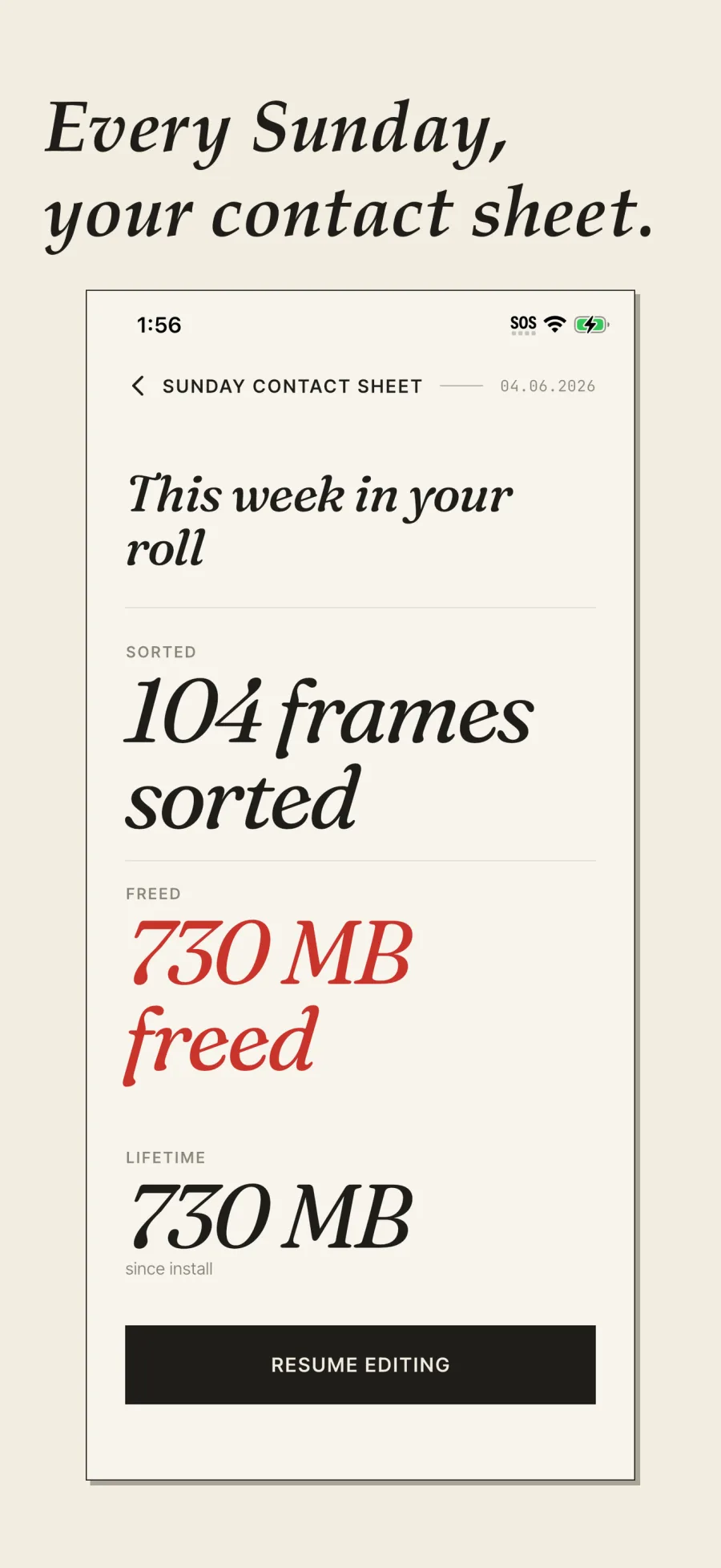
Every Sunday, MonTri gathers the work: frames reviewed, room recovered and total progress. No guilt-driven streak. Just a clear record of the edit you finished.
PRIVATE DARKROOM
No cloud between you
and your photos.
Your library is read and analysed locally. MonTri has no account to create and never uploads your images to a server.
- ON DEVICE
- Sorting, filters and detection run on your phone.
- NO ACCOUNT
- No name or email needed to begin.
- YOU CONFIRM
- The bin lets you review before anything is deleted.
GUIDES / CAMERA ROLL
Start with the right deck.
Checked answers for cleaning without deleting blindly.
Review your camera roll one photo at a time: swipe left to queue a deletion, right to keep, then check everything in MonTri.
↗GUIDE / DUPLICATESFind duplicate and similar photos.Find duplicate and visually similar photos on your phone, compare them and decide what to keep with MonTri.
↗GUIDE / SCREENSHOTSClean up old screenshots.Group screenshots by year, sort them quickly and review the bin before deletion with MonTri on iPhone and Android.
↗GUIDE / CHOOSINGChoose a photo cleaner app.Compare photo cleaner apps by control, privacy, price, supported devices and deletion safety before granting library access.
↗PRICING / NO SUBSCRIPTION
Start for free.
Upgrade once.
The free version lets you try the workflow with ads. Premium removes ads and unlocks Premium features with one purchase — no weekly or annual subscription. Your local store shows the exact price before confirmation.
QUESTIONS / ANSWERS
Before opening your library.
Does MonTri delete a photo on the swipe?
No. A left swipe places the image in a review bin. Real deletion then requires your confirmation and the operating system’s confirmation.
Are photos uploaded to the cloud?
No. Photo content is read and analysed locally. Advertising, analytics, attribution and purchase services use separate technical data described in the privacy policy.
Does MonTri choose the best duplicate automatically?
No. It groups visually close images to speed up comparison, while the final choice stays yours.
Does the app work on Android?
Yes. MonTri is available on iPhone and Android in English and French.
Is Premium a subscription?
No. Premium is a one-time purchase. The App Store or Google Play shows the local price.
YOUR ROLL IS WAITING
Delete the clutter.
Keep the memories.
Start with the easiest pile: this year’s screenshots.